Using FastFileLink to Deliver a 3.8GB, 158-File U.S. Department of War UFO Public Archive
Posted on 週三 13 五月 2026 in Blog
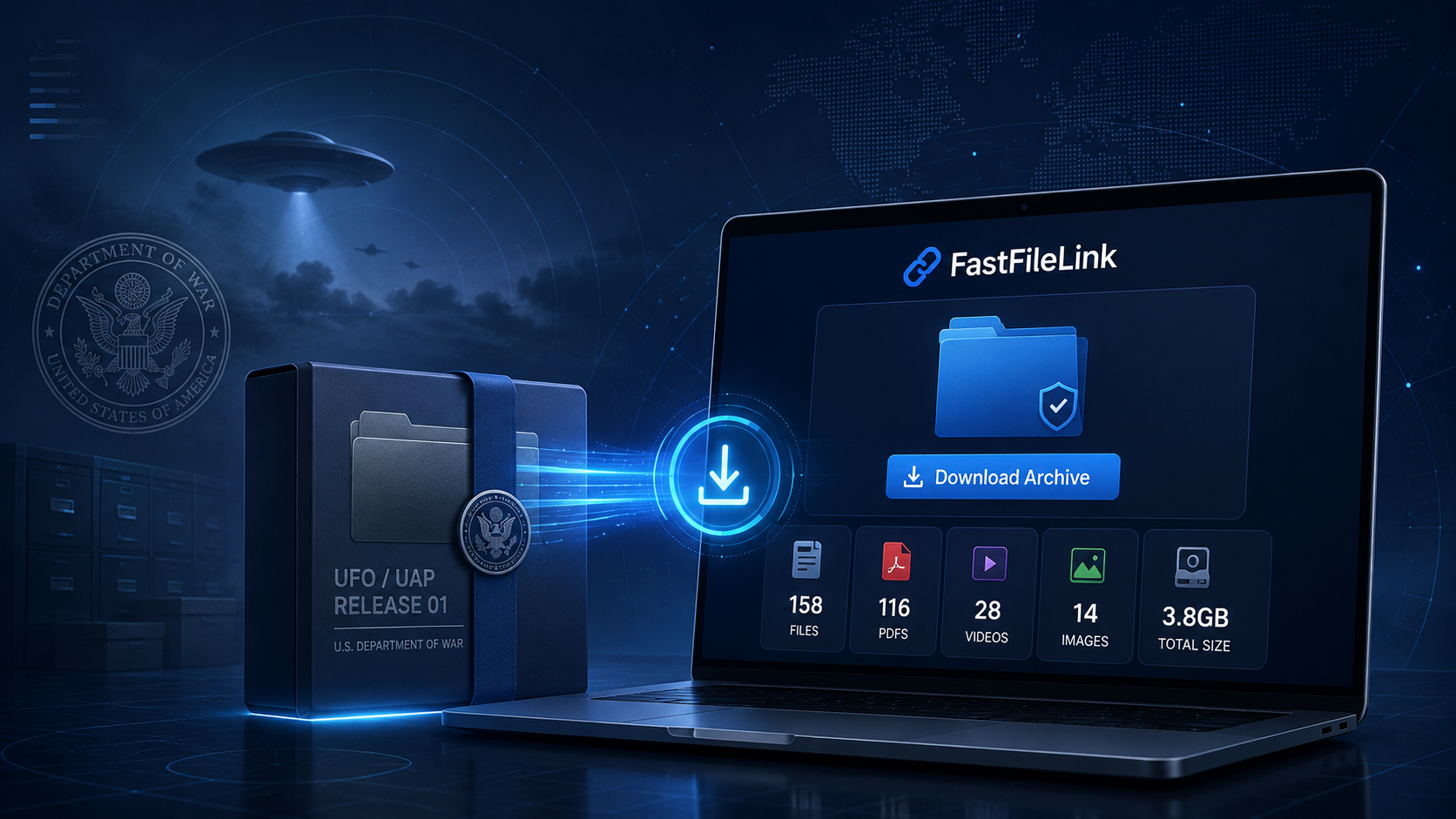
Recently, war.gov launched a public UFO/UAP records page.
According to the official description, the release was part of the Trump administration's push for more transparency around UAP-related information. The U.S. Department of War (DOW), together with other agencies, published a batch of unresolved UAP-related records and historical documents.
When I saw the news, my first thought was simple:
“It would be really useful if people could download this whole thing in one place.”
The official page is browsable, but if you actually want to download all the PDFs, videos, and images, the experience is not that smooth. You have to click through files one by one, figure out which items are documents, which are videos, and which are just images used by the page itself. For a normal user, even getting started is already a bit of work.
This is exactly the kind of problem FastFileLink is meant to solve: taking a batch of files and turning it into a package that can be delivered, downloaded, and clearly explained.
I was personally curious about the material too, so I spent some time collecting the files and checking whether it was legally reasonable to redistribute these public records. After confirming that it was okay to do, I decided to organize everything and make it easier for others to download.
This kind of archive is a natural fit for FastFileLink. The full package is around 3.8GB and contains many files. I honestly did not have an easy place to put it. You cannot send something like this through WhatsApp, LINE, or a regular messaging app. A cloud drive would bring its own issues: storage limits, permissions, packaged downloads, bandwidth limits, and so on. So I decided to document the whole process as I went.
First, I organized the public files into one complete folder
I started by collecting the directly downloadable files from the war.gov UFO/UAP Release 01 page.
The final package looked roughly like this:
- 158 downloadable files
- 116 PDFs
- 28 videos
- 14 images
- Around 3.8GB total
- Source URLs preserved for every file
- SHA-256 checksums generated
- Index files and a manifest included
I put everything into one folder:
Besides the actual files, I also prepared a few helper files:
README.md explains the source, scope, licensing notes, and the non-endorsement disclaimer.
START_GUIDE.html is an entry guide for regular users. The release itself is quite scattered: there are videos, images, FBI-related materials, NASA/Apollo-related materials, and large historical scanned PDFs. If someone downloads the archive and only sees a pile of files, they may have no idea where to begin.
So in START_GUIDE.html, I added a simple suggested browsing order:
- Start with the videos
- Then look at the images
- Then open the shorter modern PDFs
- Then move on to the FBI and NASA/Apollo-related materials
- Save the large historical PDFs for last
That gives people a straightforward entry point after downloading the archive.
Uploading the whole folder with FastFileLink
Once the folder was ready, I uploaded it.
I logged into my FastFileLink account and uploaded the entire 04_full_release01_pack folder. The important part here is that I did not need to compress it into a ZIP myself, and I did not need to manually handle how all the files would be packaged, listed, or delivered to downloaders.
FastFileLink handled the folder delivery directly.
At first, the upload produced a standard download page like this:
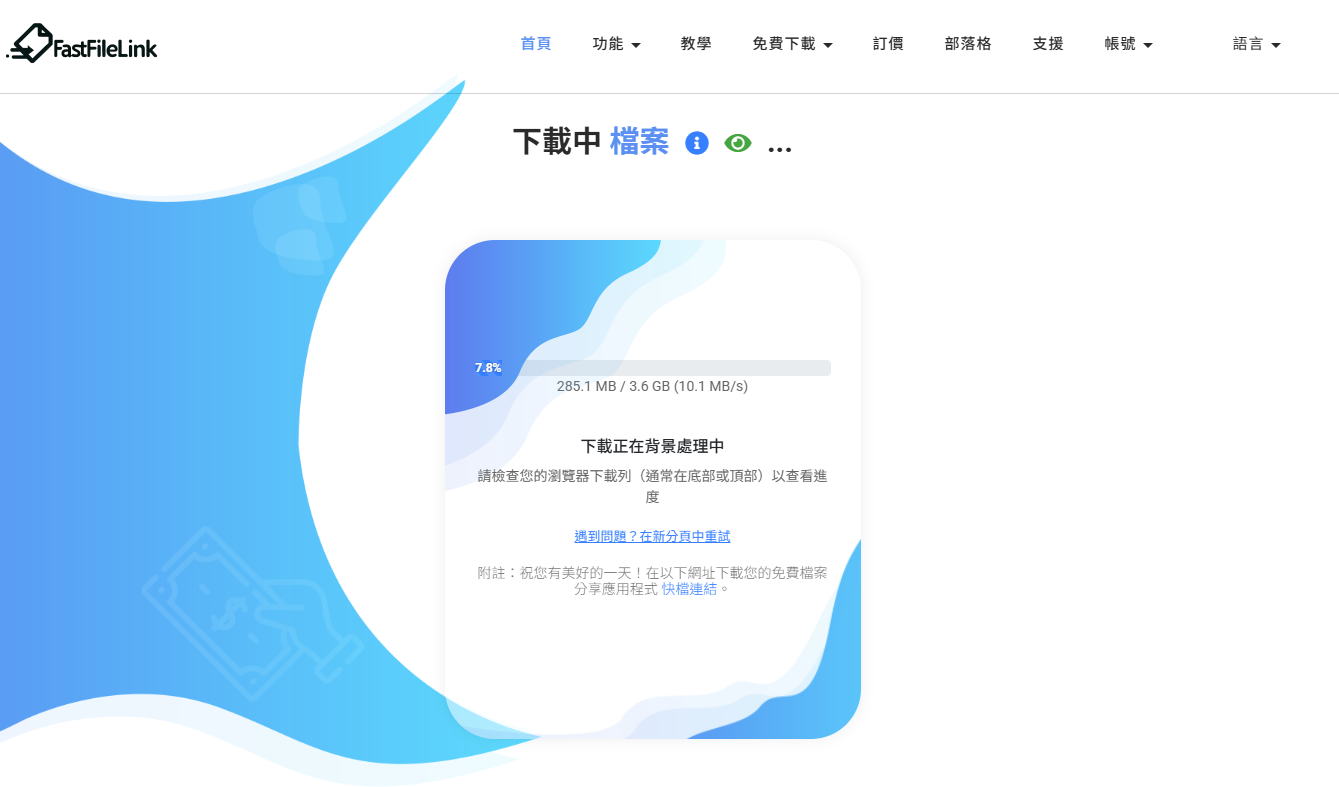
This standard page is clean, functional, and downloads work just fine.
But when I looked at it, it felt too neutral.
This package was about the U.S. Department of War UFO/UAP public records. When someone opens the page, they should immediately understand what they are downloading. Especially for a 3.8GB package, a generic download box may not inspire enough confidence.
So I decided to use FastFileLink's white-label customization feature to make the page better match the actual content.
Using white-label customization to turn the download page into a dedicated landing page
FastFileLink's white-label settings let you customize the logo, background, colors, navigation links, download notes, footer content, and more.
I switched the logo to a white version because I wanted a dark theme for this page. Then I changed the background to a deep blue, tech-style image and used a cool color palette that fit the UFO/UAP topic.
After the customization, the page looked more like this:
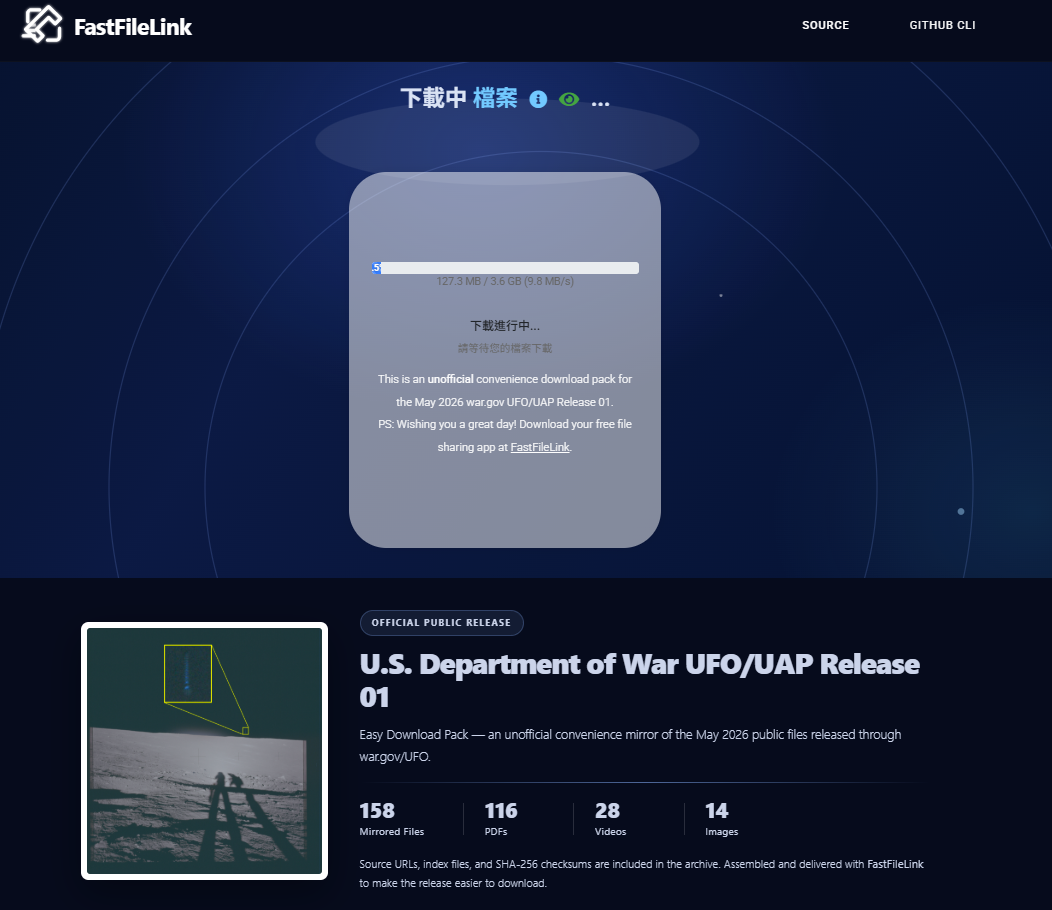
Now, as soon as someone opens the page, they can quickly see that the package contains:
- U.S. Department of War UFO/UAP public records
- 158 files
- 116 PDFs
- 28 videos
- 14 images
- Source URLs, index files, and SHA-256 checksums
I also added source and legal notes in the footer:
- Source: war.gov/UFO
- This is an unofficial convenience download pack
- It is not affiliated with, sponsored by, approved by, or endorsed by the U.S. Department of War, U.S. Department of Defense, AARO, NARA, DVIDS, or any U.S. government agency
- The appearance of U.S. government visual information does not imply DoW/DoD endorsement of FastFileLink or this website
- The archive is redistributed as publicly released and does not claim that the files prove extraterrestrial life
That disclaimer matters. Since the package uses U.S. government public records, and U.S. federal government works are generally public domain in the United States, redistribution is usually not the main issue. The important thing is to avoid giving the impression of an official partnership or endorsement.
There is also a small localization detail: my browser is set to Chinese, so the download progress and interface text appear in Chinese for me. English readers opening the same page will see the download interface in English according to their browser environment.
A download page should explain the content before asking people to download
After I published the package, someone gave me a very practical piece of feedback:
It'd still be courteous to wait for a click before downloading 4 GB of files. I just wanted to see a description of what's included first.
That made me think.
From the sender's point of view, opening a download page and preparing the download right away makes sense. The goal is to deliver the files.
But for someone seeing the link for the first time, 4GB is not a small download. They may simply want to check what is inside, confirm the source, review the size, and decide whether they actually want to download it.
FastFileLink already has an eye icon on the page that opens a preview, where people can see the file description and content information.

But I realized that if I am sharing a link on a forum or social platform, it is better not to send people straight into the download flow. A better approach is to share the preview-mode link directly.
The trick is simple: add this to the end of the URL:
For example, instead of:
use:
With that, people first see the description, file information, and download notes. Then they can choose whether to start the download.
For large-file delivery, this is a very useful detail. The bigger the file, the more likely the first question is not “How do I download it?” but “What exactly is this?”
How people reacted after I shared it
After the package was ready, I posted it in a few places to see how people would react.
I tried Hacker News first. Surprisingly, it did not get much traction and only received a small number of points. Someone later pointed out that this kind of reading material or public archive is not a great fit for a Show HN submission. There may also have already been a similar effort by someone else, though that version was mainly hosted on GitHub and required Git LFS to download. Hacker News readers know how to use Git LFS, of course, but most normal users do not.
That was one of the reasons I made this package in the first place: not everyone uses Git, and not everyone has Git LFS installed. Many people just want to download the full archive through a browser.
The response on V2EX was much better than I expected. A lot of people said thanks, and many people actually downloaded the package. The backend showed thousands of clicks and hundreds of real downloads.
That gave me another useful confirmation: FastFileLink worked smoothly in a real scenario with a large archive, many files, and many people downloading around the same time. This was not just a local test, and it was not just one or two people opening the link. A real group of users actually downloaded the 3.8GB package.
What this taught me about large-file delivery
On the surface, this project looks like a quick response to a news topic.
But after going through the whole process, I came away with a clearer understanding of large-file delivery. The hard part is often not just that the file is large.
The real issues are things like:
- There are many files
- The file types are mixed
- Source URLs need to be preserved
- Downloaders need to know where to start
- The content needs explanation
- Checksums matter
- Legal and attribution notes matter
- The download page needs to feel trustworthy
- Previewing before download can be important
If you simply drop a folder into a cloud drive, you have to patch together all of these details yourself.
FastFileLink turns delivery into a more complete workflow: upload the folder, customize the page, add the explanation, share the link, and let people download it through a browser.
This public archive was a good example of that workflow.
The final result
In the end, I prepared three versions for different audiences:
- English
- Traditional Chinese
- Simplified Chinese
Each version has its own download page, README, and START_GUIDE.
This was not a UFO research project, and I did not try to interpret the files. My goal was simple: take a batch of official public files and make them easier for normal people to download and start browsing.
I also put the materials I created myself — the README, START_GUIDE, index files, checksums, manifest, and the three download links — on GitHub:
https://github.com/bear0330/war-gov-ufo-uap-release-01
The actual large files are still delivered through FastFileLink. GitHub is a good place for the index, documentation, and verification files. FastFileLink is better suited for delivering the full 3.8GB archive to normal users.
If you have a similar need, such as:
- Delivering a large public archive
- Sending a full set of video assets
- Handing off client project files
- Sharing a large collection of photos or original files
- Letting someone download a folder through a browser without installing extra tools
that is exactly the kind of situation FastFileLink is designed for.
Sometimes file transfer is not just about sending files out.
Organizing the files, explaining them clearly, and helping the recipient download with confidence is what real delivery looks like.