Server Migration Without Extra Disk Space: Streaming Borg Backups with FastFileLink CLI
Posted on 週五 24 四月 2026 in Blog
Migrating a production app sounds like a simple copy job until the old server is nearly full.
That is usually when migration becomes urgent. The machine is old, disk space is tight, the new server is only half-prepared, DNS cannot move yet, and the data set is large. If the migration flow still expects the source server to create one more giant tarball before anything can move, the process becomes much harder than it needs to be.
This post is a field report from reworking our own migration flow. The original path was familiar: take a Borg backup, export it as a tar or tar.gz, copy it to the target with scp, and restore it there.
That works fine when disk space is plentiful. It is much less pleasant when the source machine is already under pressure, which is often the exact reason the migration is happening in the first place.
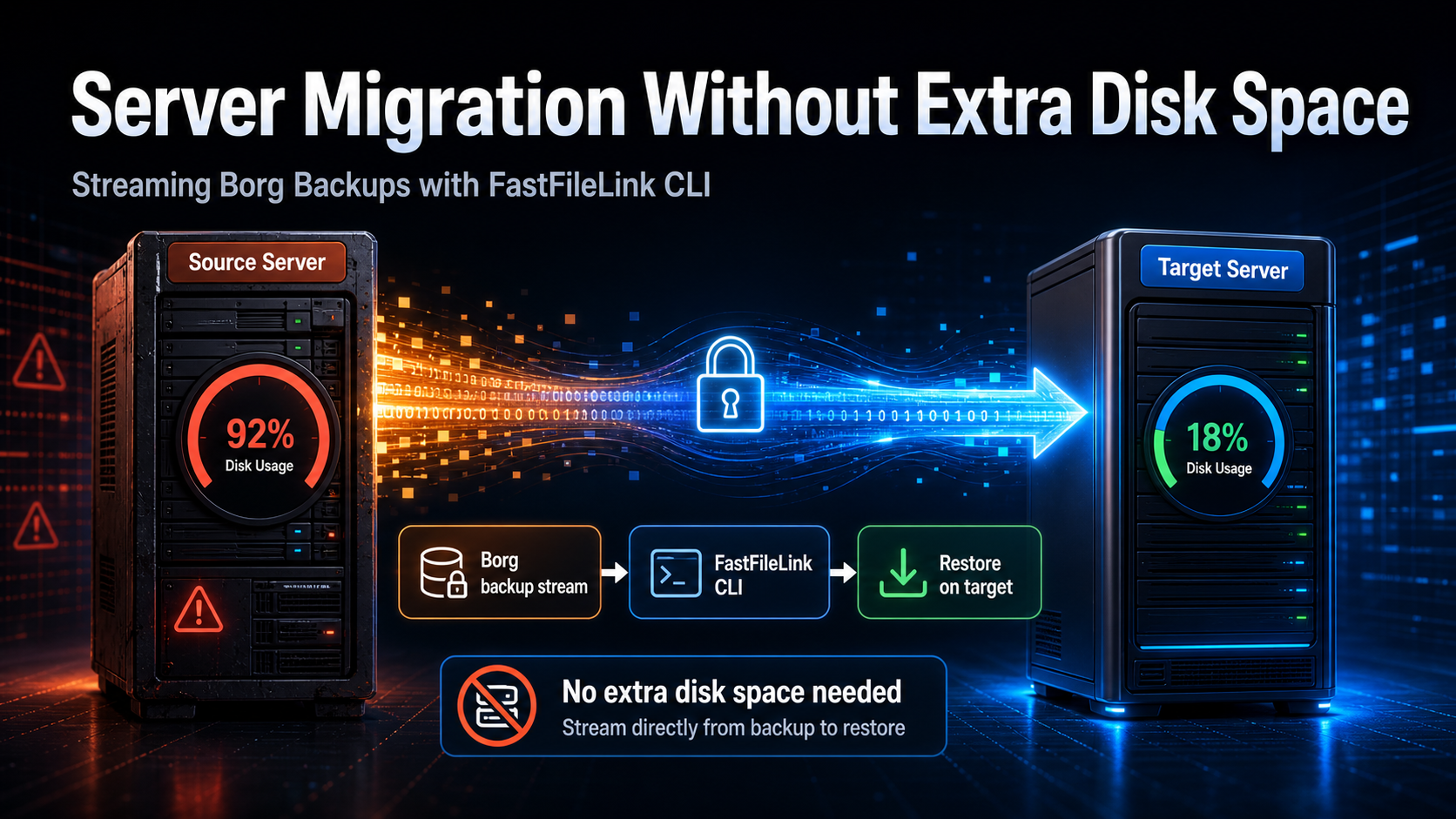
So we moved the transfer layer to FastFileLink CLI and turned the whole operation into a streaming path. The source no longer needs to stage a tarball. The target does not need to download one either. Data flows from the old machine to the new one and lands where it needs to be restored.
This pattern is useful well beyond our own deploy system. If you need to move large backups, restore production data into a development VM, or transfer a one-off archive without prearranged SSH trust, it is a very practical approach.
Our Deployment Model
Internally, we run a lightweight deployment system with a PaaS-like shape. The main entry point is Deploy.py.
It handles install, backup, restore, migrate, update, health checks, and the surrounding operational work. Shared behavior lives in the deployment layer, while each app keeps its own app-specific scripts and settings.
We do not use Kubernetes for this class of workload. The reason is simple: for our current environment, the total complexity is not a good trade. Many of our services are small to medium production apps. We care more about clear single-host operations, readable scripts, predictable recovery, and being able to understand the entire lifecycle from the app directory.
In that context, a structured deployment interface is valuable. Full cluster orchestration would be more machinery than we actually need.
Why App Working Folders Matter
A key design choice in this system is that every app has its own working folder.
That folder contains runtime configuration, container definitions, service scripts, app-level maintenance tools, and the rules for restoring persistent volumes. The database is part of the same operational contract through dumps, backup hooks, or related tooling.
In practice, if we can recreate the following pieces on another machine, the app can usually come up there before any DNS cutover:
| Piece | Why it matters |
|---|---|
| Container definition | Recreates the service process and runtime image |
| Volumes | Preserves uploads, user data, and other persistent state |
| Database | Preserves structured application data |
| Configuration | Recreates domains, ports, paths, secrets, and environment variables |
| App maintenance tools | Gives the new host the same install, backup, restore, and migrate interface |
That is why each app has its own bin tools such as backup, install, restore, and migrate. The global deployment layer invokes them, but the app still owns the app-specific details.
This design is intentionally plain. In production operations, plain is often a strength.
What the Old Migration Flow Looked Like
The old migration flow looked roughly like this:
That is an easy flow to understand. Borg is a solid backup tool. scp is familiar to almost every operator. Tarballs are easy to inspect.
The real problem is the disk-usage pattern.
The Pain Point: the Source Server Is Already Short on Space
Suppose an app has 80 GB of volume data.
The old path can force the source server to carry all of this at once:
That requirement clashes with the reason migrations happen in the first place. The machines that need to be moved tend to be the ones that are already too full, too old, or too awkward to keep extending. Asking that same machine to produce one more large copy of the data is the worst possible requirement.
The more sensible approach is to let the backup output enter the transfer pipeline directly, without landing on the source disk first.
Could rsync Solve This?
If the source data already exists as a directory tree and SSH connectivity between source and target is already in place, rsync remains excellent.
It resumes, preserves metadata, and is very good at synchronizing real directories. If migration simply meant "copy the live volumes and start the app somewhere else," rsync would be a very reasonable choice, and in many environments it may well be faster than a relay-capable sharing tool.
Our situation was slightly different. We already take a backup before migration. Once that backup exists, using it as the data source is natural. The new Borg archive is a clean point-in-time snapshot, and borg export-tar gives us a ready-made stdout stream that can be fed straight into a transfer pipeline.
That is an important distinction. Borg is not the reason migration exists here. It is simply the backup mechanism we already use and trust. After the backup finishes, it becomes a convenient source for the migration stream. Whether to transfer the full backup history to the new machine is a separate decision. In many environments it is optional because full-machine backups already exist elsewhere.
The other factor is target flexibility. Sometimes the target is a clean VM or a temporary test environment, and we do not want to deal with SSH keys, sshpass, or extra server-to-server trust setup before moving the first byte.
Under those conditions, a stream-oriented transfer tool is a better fit.
Why FastFileLink CLI Fits So Well
FastFileLink CLI can transfer files, folders, and stdin. That is the capability that changed the design.
Instead of exporting to a tarball and then copying that tarball, we can keep the data moving the entire time:
The source does not need to stage a tarball. The target does not need to download one either.
The sender side looks like this:
The receiver side sends the stream straight into tar:
That gives us exactly the shape we wanted:
That command shape is intentionally plain tar. borg export-tar produces a tar stream here, so the transfer is named .tar, and the receiver uses tar xvf -. If you want gzip in the middle, it is better to write it explicitly, for example borg export-tar ... - | gzip -c | ffl ..., and then extract with tar xzvf - on the target.
We kept gzip out of the main example on purpose. In this migration, the primary problem was extra disk usage, not compression ratio, and a plain tar stream keeps CPU cost and troubleshooting overhead lower on both ends.
For low-space migration, that is the real win.
What --stdin-cache, --stdout, and --pickup-code Are Doing
If you just paste the commands and move on, a lot of readers will not immediately understand why these flags matter.
Start with --pickup-code. It is part of the pairing flow. The sender produces a link, but the receiver still needs the pickup code before it can actually claim the transfer. If you have used croc, this style of short-code trust model will feel familiar. In a migration script, it is convenient because we can hand the link and the code to the target process without exposing an open download endpoint. Once --pickup-code is present, FastFileLink CLI already knows that pickup mode is being used, so there is no need to also spell out --recipient-auth pickup.
FastFileLink CLI is more flexible than that single mode suggests. Besides pickup, it also supports receiver-verification modes such as pubkey, pubkey+pickup, and email, plus traditional HTTP Basic Authentication through --auth-user and --auth-password. We chose pickup here because it is a very smooth fit for a one-off scripted migration.
Next is --stdin-cache off. FastFileLink CLI's default mental model is general-purpose file sharing. Files might be downloaded more than once, or by multiple receivers, so caching is useful there. A migration stream is the opposite. We know there will be a single receiver consuming the data once. Keeping a stdin cache in that scenario only spends extra source-side disk space. Turning the cache off makes the sender behave much more like a real one-shot stream producer.
--e2ee is worth enabling too. WebRTC already runs over secure transport, but migration jobs can fall back to relay or tunnel paths. With end-to-end encryption enabled, even those middle hops only see encrypted chunks. For backup material and production data, that extra protection is well worth having.
Finally, --stdout is what makes the target side clean. The receiver writes the bytes to stdout, and tar unpacks them directly into place. There is no downloaded tarball to clean up afterward.
Put together, the data path becomes very straightforward:
How This Fits Back into Deploy.py
We did not build a completely separate migration tool.
The existing Deploy.py migrate flow already knew how to:
- prepare the source and target app layout
- invoke the app's own migrate and backup scripts
- export volumes
- dump and restore the database
- restore configuration
- start the target app and verify it
So the job was to swap out the transfer mechanics while leaving the rest of the workflow intact.
The resulting shape now looks like this:
This also keeps the old file-based path available. If we want to preserve an artifact, debug restore behavior in isolation, or simply keep the older flow for a roomy machine, that option still exists. Streaming mode is there to solve the low-space migration problem.
What FastFileLink CLI Brings to This Case
FastFileLink CLI matches this scenario surprisingly well because it brings several useful properties at once:
| Capability | Why it helps migration |
|---|---|
| Single-file APE binary | Download when needed, delete after use, no permanent install |
| WebRTC direct transfer | Tries peer-to-peer paths when the network allows it |
| Relay fallback | Still completes when direct connectivity fails |
| End-to-end encryption | Relay infrastructure cannot see plaintext data |
| Pickup-code verification | Scripts can pair sender and receiver safely |
--e2ee |
Relay or tunnel hops still cannot inspect contents |
| stdin / stdout support | Makes true no-staging transfer possible |
--hook event output |
Integrates cleanly into existing automation |
For an old production host, the single-file binary is a bigger advantage than it first sounds. We do not need to permanently install another service just to move away from that machine. Download ffl.com, run the migration, clean it up, and move on.
--hook is also worth calling out on its own. FastFileLink CLI has its own embedded mode, which can emit structured events for integration. That saved us a lot of glue code, because we no longer had to parse human-oriented console output just to understand what the transfer was doing. That kind of integration surface is unusual in this category of tools.
Comparing FastFileLink CLI with scp, rsync, croc, and Magic Wormhole
The real question with transfer tools is not which one has the flashiest feature list. It is whether the tool's assumptions match the environment you are actually operating in.
| Tool | Best fit | Limitation in this scenario |
|---|---|---|
scp |
Straightforward file copy over SSH | Needs a prebuilt artifact and SSH access |
rsync |
Synchronizing live directory trees | Not a natural fit for Borg stdout streams |
croc |
Secure CLI transfer with pipe support | A good fallback option, but large transfers often end up traversing relay infrastructure, which is not very attractive for multi-hundred-megabyte or multi-gigabyte migrations |
| Magic Wormhole | Human-friendly one-time transfer | Better for ad hoc exchange than unattended migration pipelines |
| FastFileLink CLI | File, folder, stdin, and stdout streaming | Needs proper orchestration for logs, cleanup, and timeout handling |
If the data is already a plain directory tree and SSH trust is stable, rsync remains very strong.
But when the data source is a backup stream and the target might be a fresh VM, FastFileLink CLI feels better aligned with the real constraints. It asks less from the environment while still giving us encryption, verification, direct-transfer attempts, and relay fallback.
The Real Lessons from Implementation
The most valuable lessons did not come from the happy path. They came from the first few attempts, when large transfers could stall and the surrounding automation did not have enough visibility into what was happening.
Our earliest version was the obvious one: start FastFileLink CLI, parse its normal output, grab the link, and let the rest of the wrapper script take it from there. That was fine for a proof of concept. It was not good enough for a real migration command.
Large data transfers make every observability problem feel bigger:
- Did the sender actually begin reading stdin?
- Did the receiver really connect?
- Are we using a direct path or a fallback path?
- If both processes are still alive, is progress real or are we just stuck?
- Did the producer fail first, or did the transfer tool fail first?
Orchestration Matters More Than the Pipe
Streaming migration is not finished just because we connected a producer and a consumer with one more pipe.
When a file-based transfer fails, there is usually still a partial file sitting on disk. When a stream stalls, the system has to tell us where it stalled. The difference between a neat demo and a production migration command is usually not whether the tool supports stdin. It is whether the orchestration around that tool was designed with observability, cleanup, and retry boundaries in mind.
In practice, we found that a few things have to be designed explicitly:
| Concern | Approach |
|---|---|
| temporary binary | Download ffl.com into a temporary directory and remove it afterward |
| logging | Be able to switch to DEBUG or point to a logging config when a transfer stalls |
| receiver readiness | Confirm that the target receiver has actually started before letting the workflow continue |
| progress | Watch bytes transferred or extracted, not just whether the process still exists |
| cleanup | Remove orphan sender / receiver processes and temporary files |
| retry | Retry at the transfer boundary instead of trying to resume from the middle of a half-extracted tar stream |
| secrets | Keep auth passwords and pickup codes out of ordinary logs |
We learned this very directly during testing. If the target receiver never really comes up, the source side can still look busy for a while. It may appear to be waiting or doing useful work, even though the migration is already stuck.
So a robust migration command should at least be able to confirm:
For long-running transfers, "the process still exists" is not progress. Progress has to be observable.
Once we switched to FastFileLink CLI's --hook support, things got much smoother. Share links, progress, receiver state, completion, and failure events could all be tracked as structured data. That was the point where we finally stopped treating human-readable output as an API.
That shift matters a lot. Migration automation needs more than bytes moving over the wire. It needs state that can be trusted.
On top of that, we still fixed a few ordinary deploy bugs, such as target path quoting and the cleanup order for old volumes. But those became straightforward engineering issues once the transfer state itself was observable.
After that, the migration path was able to:
- stream volumes from Borg through FastFileLink CLI
- restore database dumps on the target
- restore database privileges
- optionally bring over the Borg backup repository
- pull the app image
- start the target container
The remaining issue in our test was no longer in the streaming layer. It was an Nginx / SSL cleanup detail on the target side. That was actually reassuring: the hardest part of the move had become ordinary deployment finish-up.
You Can Test the Migration Before DNS Moves
A good migration flow should let us validate the new machine before the real cutover happens.
That fits nicely with our app-folder design. Because the container definition, volumes, database, config, and app maintenance tools already belong to the same working-folder contract, we can restore the app onto the new machine, start it with a test port or a temporary hostname, and confirm that it behaves correctly before touching DNS or the load balancer.
In practice, the checklist is fairly simple:
That is one of the reasons migration becomes less scary. The old production server keeps serving traffic while the new machine proves, right next to it, that it is ready to take over.
This Pattern Is Useful Beyond One App
Even though this work grew out of one migration project, the pattern generalizes very well.
Any time the data source can write to stdout, the same transfer model becomes available:
Pipe that into FastFileLink CLI:
Then let the target feed it directly into the real consumer:
That is a good fit for:
- migrating old or nearly full servers
- restoring production backups into development VMs
- disaster recovery transfers
- moving large user-upload archives
- transferring database dumps without leaving dump files behind
- temporary environments where prearranged SSH trust is inconvenient
Final Takeaway
The most important part of this migration change was not a new compression trick or a more elaborate archive format.
It was rewriting the migration contract.
The old contract required the source server to prepare one more large copy of the data before it could move away.
The new version is much simpler:
--stdin-cache off and --stdout fit that model extremely well. For teams dealing with server migration, backup transfer, low-disk hosts, or temporary restore environments, this turns out to be a practical, automation-friendly, and easy-to-reason-about approach.
When the old server is full and migration has become urgent, that is exactly the behavior you want from the toolchain.